Page 4 of 17
Posted: Mon Nov 05, 2007 1:53 pm
by thesis
Posted: Mon Nov 05, 2007 5:47 pm
by schamotnik
the first one looks brilliant thesis

Posted: Tue Nov 06, 2007 4:56 am
by inaya
great photos everyone!
Posted: Tue Nov 06, 2007 10:21 am
by thesis
Schamotnik wrote:the first one looks brilliant thesis
thanks! heres a few more:


Posted: Tue Nov 06, 2007 1:11 pm
by ashley
How many of you guys photoshop your images before you post them?
Posted: Tue Nov 06, 2007 1:14 pm
by thomas
Ashley wrote:How many of you guys photoshop your images before you post them?
I'd guess pretty much everyone, if you want fucking great photos like them above anyway

Props on them
Posted: Tue Nov 06, 2007 1:41 pm
by furiouz
Skillz pon the forum

Posted: Tue Nov 06, 2007 3:48 pm
by thesis
Ashley wrote:How many of you guys photoshop your images before you post them?
Me...
Digital photos almost always need some processing to make them 'finished', even if its just a slight sharpness/contrast bump, or some color correction. Of course I don't do this to every photo I take, just the ones I want to use.
Its a part of photography. Before Photoshop it was done with chemicals/filters/masking. Glad to be living in the digital age

Posted: Tue Nov 06, 2007 4:11 pm
by ashley
thesis wrote:Ashley wrote:How many of you guys photoshop your images before you post them?
Me...
Digital photos almost always need some processing to make them 'finished', even if its just a slight sharpness/contrast bump, or some color correction. Of course I don't do this to every photo I take, just the ones I want to use.
Its a part of photography. Before Photoshop it was done with chemicals/filters/masking. Glad to be living in the digital age
Got any tips?
So far I have worked out the curves thing in photoshop to fix my over exposure

Any other tips and resources?
Posted: Thu Nov 08, 2007 8:33 am
by thesis
Ashley wrote:
Any other tips and resources?
Theres hundreds of tips I can give you, where to start? that crowd photo you posted needs sharpening I think.
Go filter/sharpen/unsharp mask. Drag 'amount' to 500%, so you can see obviously what the filter is doing. It'll look harsh but you bring it down at the end. Adjust the radius until you can't see halo rings around stuff... the radius setting should be between 0.1 and 1.0 usually, depending on the size of the image. Leave threshold on zero. Now, bring down the percentage until it looks good. You don't want to overdo the sharpening, too much looks crap!
Not sure about resources, but theres gotta be lots of free tutorials on the net. Lynda.com tutorials are very good, but not free.
Posted: Wed Jan 23, 2008 11:28 pm
by reverendmedia
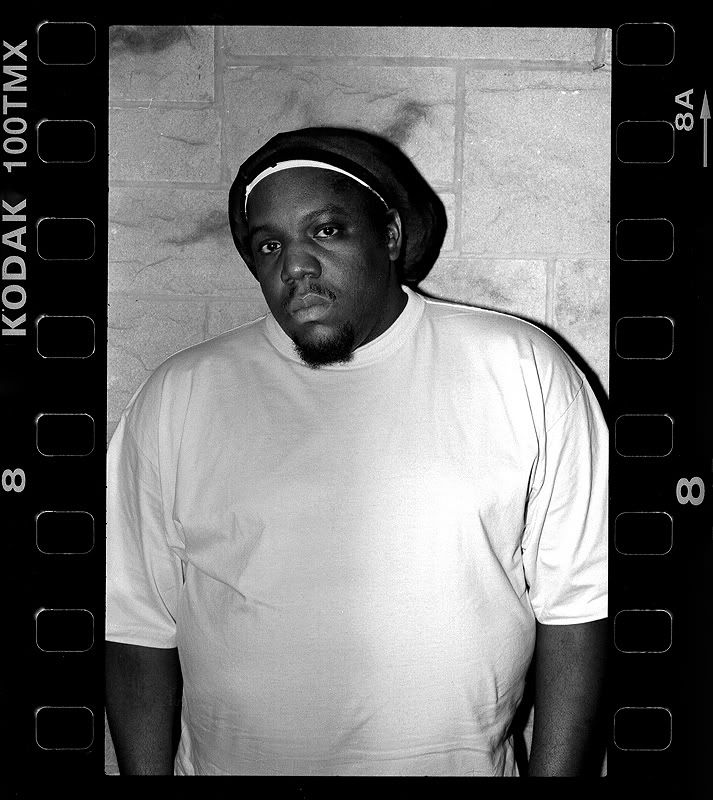
check the interview:
http://formatmag.com/features/evil-dee/
a few others:
http://formatmag.com/features/kano/
http://formatmag.com/index.php?s=nothing+but+the+truth
plus myspace (gigs) and blog (personal project). See sig below.
Thanks!

Scruffy Herbert - 'two buses' is my fave on this thread!
Posted: Thu Jan 24, 2008 12:09 am
by ashley
Ok I had a little play around

Before and after...I am quite pleased with the results!
Posted: Thu Jan 24, 2008 12:22 am
by ashley
Posted: Thu Jan 24, 2008 12:25 am
by spooKs
Mohan, love some of your pics, especially this one:

Posted: Thu Jan 24, 2008 12:36 am
by reverendmedia
Looking good ash - are these recent?
Posted: Thu Jan 24, 2008 12:45 am
by ashley
reverendmedia wrote:Looking good ash - are these recent?
Nah, but they are probably some of the better ones I have taken and that was at Super Dubpressure in November
http://www.getdarker.com/?id=8&gid=41
The reason why I never really tried photoshopping my photos is because when I get in, I plug my camera in and upload them direct and then click a button and it resizes and watermarks automatically. Thats why there are ALOT of shit ones. But with the DMZ just gone I picked out the ones I wanted up... should of photoshopped them too!
Posted: Thu Jan 24, 2008 12:53 am
by reverendmedia
less is more!
I've got a secret one of antisocial from that night. Only reason it's works though is because I think the flash from (possibly) your camera is going off in the foreground! If it was yours - cheers!


